View
Drag





There are a lot of ways to build a business website right now, and most of the advice out there is either a sales pitch in disguise or written by someone who's never actually used half the platforms they're recommending.
This is neither. Just a real breakdown of what's available in 2026, what each option is good for, what each one isn't, and how to figure out which one makes sense for your business.
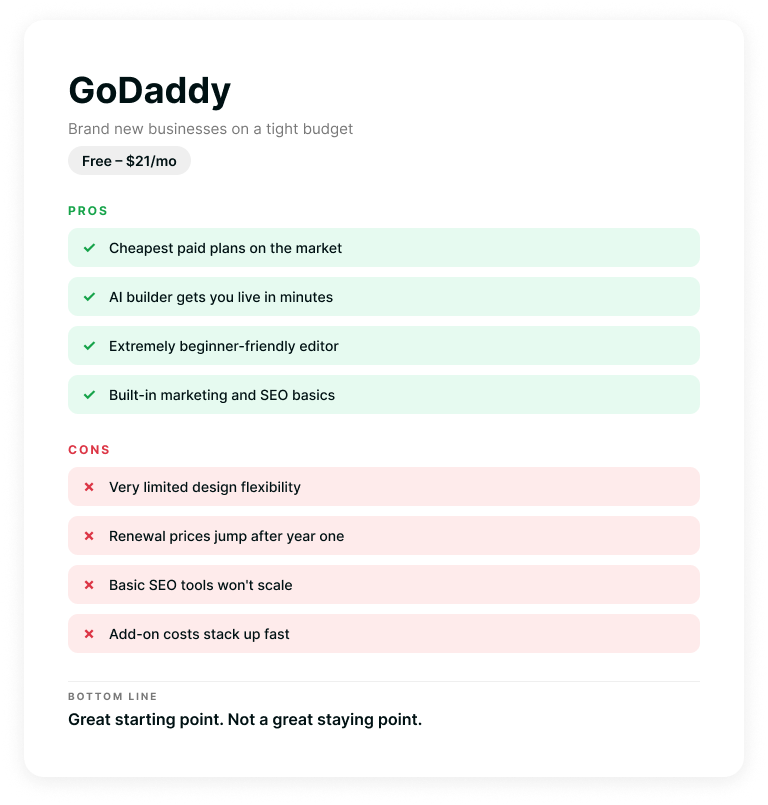
Best for: Brand new businesses that need something live today on a tight budget.
Cost: Free plan available. Paid plans range from about $10 to $21/month billed annually.
GoDaddy is the fast food of website builders, and that's not necessarily an insult. It's quick, it's cheap, and it gets the job done when you just need something on the table. Their AI builder can generate a basic site from a few prompts, and the drag-and-drop editor is about as beginner-friendly as it gets.
Where it works well: You just registered your LLC last week, you need a website that says "yes, we're real," and you don't have $5,000 to spend. GoDaddy can get you there in an afternoon.
Where it falls short: Design flexibility is limited. The templates are fine, but "fine" starts to feel like a ceiling pretty fast. SEO tools are basic. And if you ever try to do something slightly outside the box on GoDaddy, you'll get frustrated quickly. There's also a pattern of renewal pricing that jumps significantly after your first year, and add-ons can stack up.
Bottom line: Great starting point. Not a great staying point.
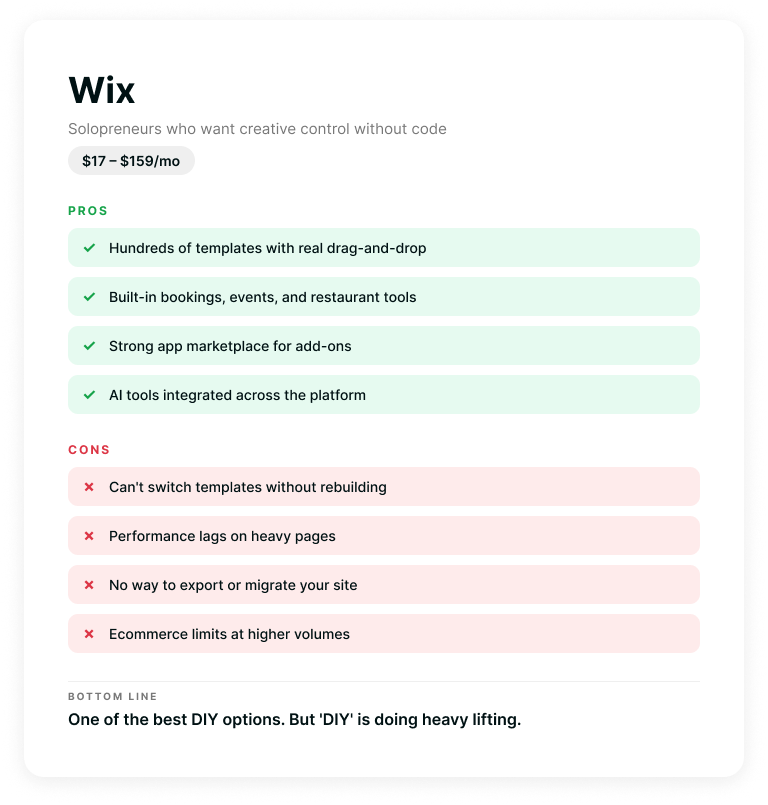
Best for: Small businesses and solopreneurs who want more creative control without touching code.
Cost: Free plan available (with Wix branding). Paid plans from $17 to $159/month billed annually.
Wix has come a long way. It's one of the most feature-rich DIY builders out there, with hundreds of templates, a solid app market, and AI tools baked into pretty much everything now. If you want to build something yourself and have it look decent, Wix gives you a lot of room to play.
Where it works well: If you're a service-based business, a restaurant, a photographer, or someone running a boutique online store, Wix has tools built specifically for you. Booking systems, menus, event management, loyalty programs; it's all in the ecosystem. The editor gives you real drag-and-drop control (not the "drag it to one of three pre-approved spots" kind).
Where it falls short: Once you pick a template, you can't switch it without starting over. That's a big deal if your brand evolves (and it will). Performance can lag on content-heavy pages. And while you can build an ecommerce store on Wix, businesses doing serious volume will eventually feel the limitations in shipping, inventory management, and checkout customization.
Also worth noting: your site lives on Wix's infrastructure. If you ever want to leave, you're essentially rebuilding from scratch. There's no "export" button for your entire site.
Bottom line: One of the best DIY options out there. But "DIY" is doing a lot of heavy lifting in that sentence.
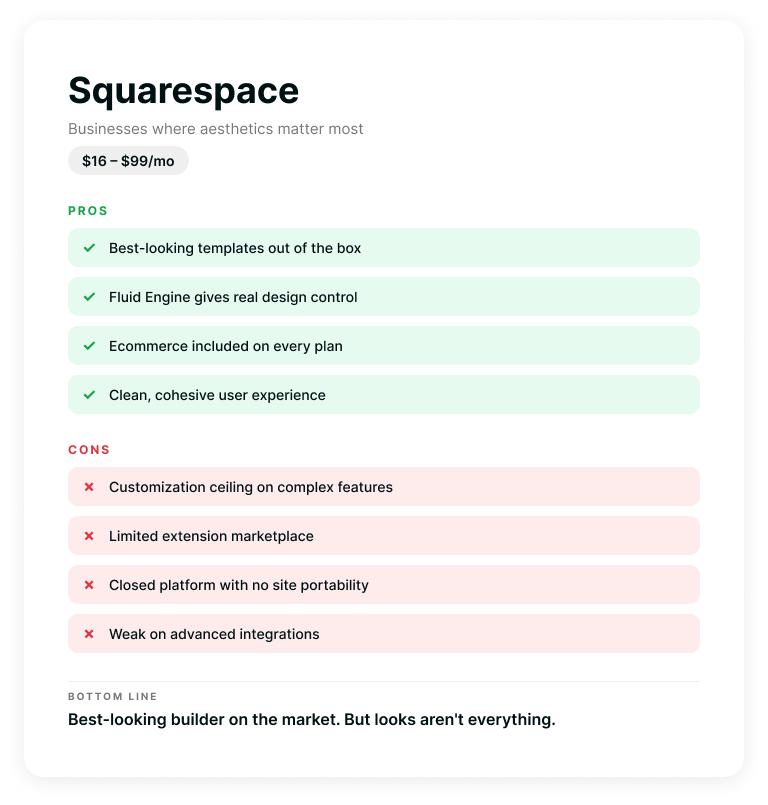
Best for: Businesses where aesthetics matter just as much as functionality.
Cost: Plans from $16 to $99/month billed annually. No free plan, but there's a 14-day trial.
Squarespace is the one that makes everything look good. Their templates are genuinely beautiful out of the box, and their editor (Fluid Engine) gives you a surprising amount of design control for a builder platform. If your brand is visual (think creative agencies, photographers, restaurants, fashion, lifestyle), Squarespace makes a strong first impression.
Where it works well: Design-forward businesses that need a polished online presence without hiring a designer. Squarespace also recently revamped their plans to include ecommerce across every tier, so even the $16/month Basic plan lets you sell products (though with a 2% transaction fee). Their blogging tools are solid, SEO basics are covered, and the whole experience feels cohesive and well thought out.
Where it falls short: Customization has a ceiling. If you need functionality that Squarespace doesn't offer natively, your options are limited to their extension marketplace, which is nowhere near as deep as WordPress's plugin ecosystem. It's also a closed platform, meaning your site lives on Squarespace's servers and can't be moved elsewhere. And for businesses that need complex integrations, advanced forms, membership areas, or multi-language support, you'll find yourself working around the platform instead of with it.
Bottom line: The best-looking website builder on the market. But looks aren't everything when your business starts demanding more from its website.
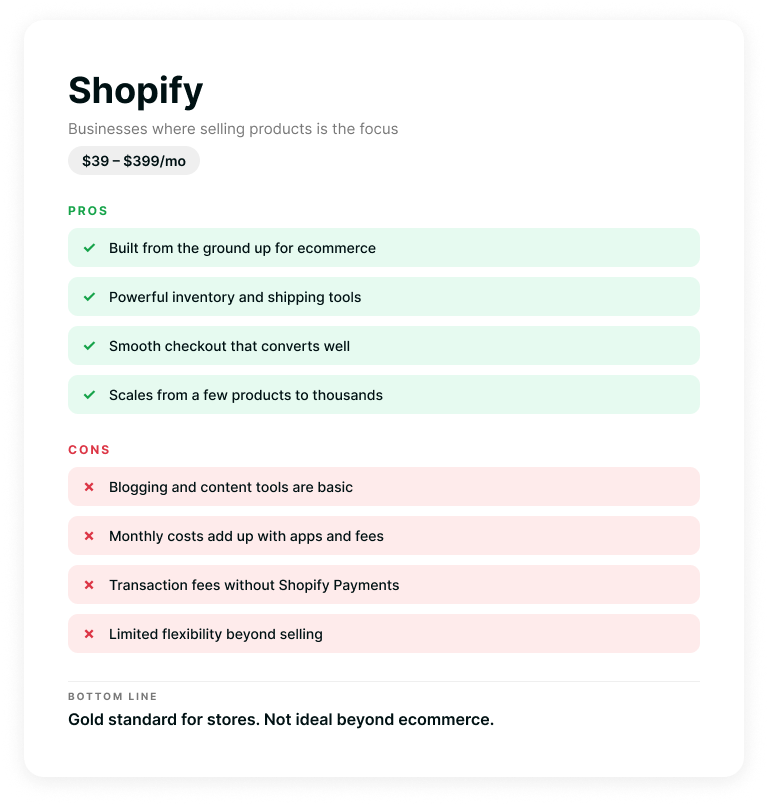
Best for: Businesses where selling products online is the primary focus.
Cost: Plans from $39 to $399/month (with a $5/month Starter plan for social selling).
We're including Shopify because if your business is ecommerce-first, you've probably considered it. Shopify is built from the ground up to sell things. Product management, inventory tracking, shipping calculations, payment processing, abandoned cart recovery; it's all native.
Where it works well: If you're selling physical or digital products and that's the core of your business, Shopify is hard to beat. The checkout experience is smooth, the backend is powerful, and there are apps for just about everything. It scales well too, from a handful of products to thousands.
Where it falls short: If your website needs to do more than sell products (think service pages, robust content marketing, a blog that actually drives SEO traffic), Shopify starts to feel limited. Its blogging and content tools are basic compared to WordPress. And the costs add up fast: monthly plans, transaction fees (if you don't use Shopify Payments), app subscriptions, and theme costs. A fully loaded Shopify store can easily cost $200 to $500/month when you add everything up.
Bottom line: The gold standard for online stores. But if your business isn't primarily ecommerce, there are better fits.
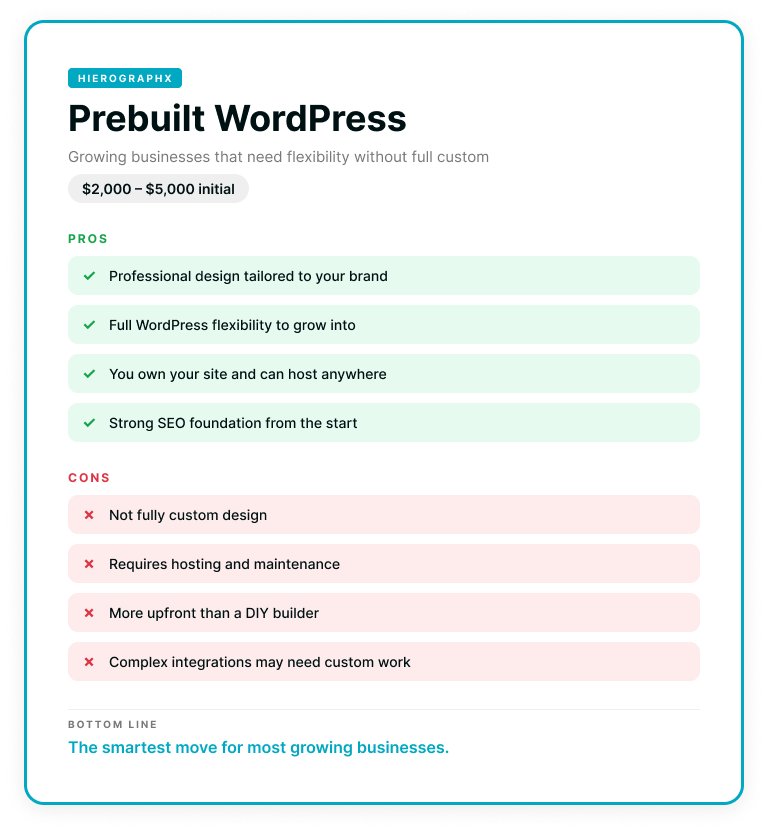
Best for: Growing businesses that need more flexibility than a builder but aren't ready for a fully custom site.
Cost: Typically $2,000 to $5,000 for the initial build, plus $20 to $60/month for hosting and maintenance.
This is the middle ground that a lot of people don't realize exists. A prebuilt (sometimes called "templated") WordPress website uses a professionally designed theme as a starting point, then gets customized to fit your brand, your content, and your goals. It's not a cookie-cutter site, but it's also not starting from a blank canvas.
At Hierographx, this is one of our most popular options for small businesses, and for good reason. You get a real WordPress site with real flexibility, a professional design that reflects your brand, and the ability to grow into more advanced features down the road without having to start over.
Where it works well: You've outgrown the limitations of a DIY builder but don't need (or aren't ready to invest in) a fully custom build. You want a site that's designed well, loads fast, ranks on Google, and gives you the ability to update content without calling a developer every time. You also want to actually own your website, with the ability to move it wherever you want.
Where it falls short: It's not fully custom. If you have very specific functionality needs, complex integrations, or a brand identity that demands a one-of-a-kind design, a prebuilt theme will have some limitations. It's a great foundation, but businesses with aggressive growth plans may eventually want to level up.
Bottom line: The smartest move for a lot of growing businesses. All the benefits of WordPress without the fully custom price tag.
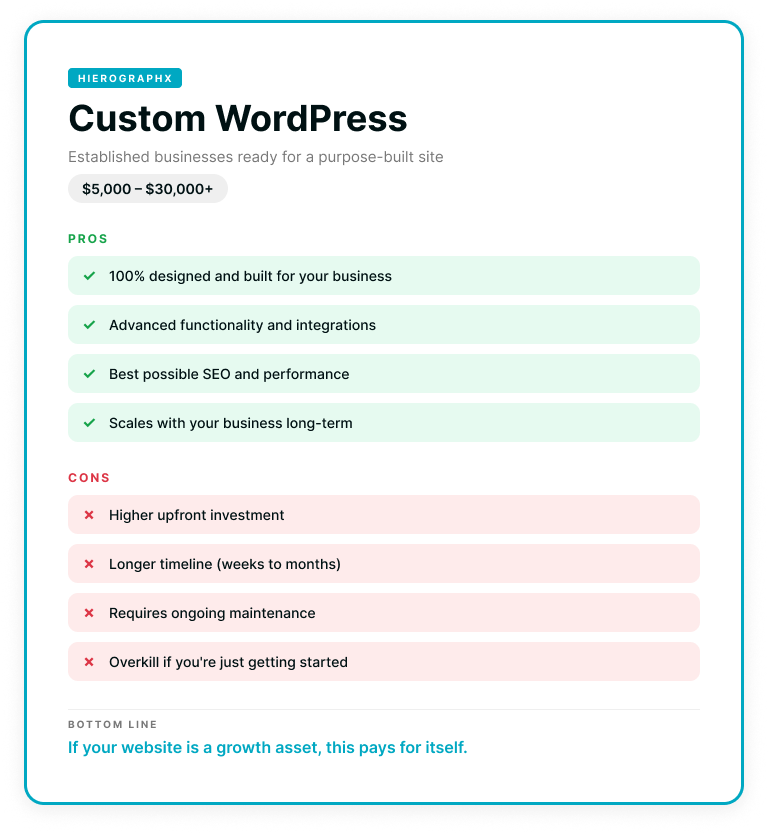
Best for: Established businesses ready to invest in a website that's built specifically around their goals.
Cost: Typically $5,000 to $30,000+ depending on complexity, with ongoing hosting and maintenance costs.
This is the top shelf. A custom WordPress site is designed and developed from scratch, built around your brand, your user experience, your content strategy, and your business goals. Nothing is borrowed from a template. Every page, every interaction, every feature is intentional.
At Hierographx, this is where we do our best work. We pair custom design with strategic development, building sites that don't just look great but actually perform: faster load times, stronger SEO foundations, better conversion paths, and the kind of flexibility that lets your website grow with your business instead of holding it back.
Where it works well: You're past the startup phase. Your business is generating revenue, your brand identity is dialed in, and your website needs to be a serious asset, not just a digital business card. You need advanced functionality (custom forms, integrations with your CRM or booking system, member portals, multi-location pages, ecommerce). And you want a site that's built to compete with the bigger players in your space.
Where it falls short: It's an investment, and it takes time to do right. A custom WordPress build isn't a weekend project. Expect a timeline of several weeks to a few months depending on the scope. It also requires ongoing maintenance: WordPress sites need updates, security monitoring, backups, and occasional optimization.
Bottom line: If your website is a core part of how your business attracts and converts customers, a custom build pays for itself. This is the option that scales with you.
It depends on where your business is right now and where you're headed. Here's a quick way to think about it:
Just getting started? GoDaddy or Wix will get you online fast and cheap. No shame in that. Every business has to start somewhere.
Ready to look more professional? Squarespace gives you beautiful design out of the box. A prebuilt WordPress site gives you that plus real flexibility and ownership.
Selling products online? Shopify if ecommerce is your whole world. WordPress (prebuilt or custom) if you need a strong website that also happens to sell things.
Growing fast and need your website to keep up? A prebuilt WordPress site is the sweet spot for most growing businesses. It gives you the foundation without the full custom investment.
Ready to go all in? A custom WordPress site is the move. Built for your business, designed to perform, and ready to scale.
No matter which option you choose, the most important thing is that your website is actually working for your business. Not just existing, working. Driving leads, building trust, converting visitors into customers.
If you're not sure where you fall on this spectrum, or if your current website is starting to feel like it's holding you back more than it's helping, we're happy to help you figure it out.
GoDaddy or Wix. Free plans get you online in an afternoon. Paid plans run $10 to $17 a month. You'll outgrow it within a year, but that's a problem for later you.
For looks, yes. Squarespace templates are more polished and harder to make ugly. For flexibility and features, Wix wins. Pick based on whether you care more about how it looks or what it does.
Shopify if selling is the whole business. WordPress if your website also has to do anything else. Shopify's checkout beats everything. WordPress's marketing tools beat Shopify by a mile.
Prebuilt WordPress: $2,000 to $5,000. Custom WordPress: $5,000 to $30,000+. DIY builders run $10 to $50 a month.
It can build a shell. It can't build strategy, brand, or anything that converts. AI website builders are great for getting something live fast and bad at everything that comes after.
Only if you're on WordPress. Wix, Squarespace, and Shopify are closed platforms - leaving means rebuilding from scratch. WordPress is the only platform that actually moves with you.
Prebuilt WordPress for most growing businesses. It's the sweet spot between DIY limitations and full custom investment. The only reason to pick something else is if you're either too new to invest yet (use Wix) or big enough to go fully custom.
Prebuilt WordPress: 4 to 8 weeks. Custom WordPress: 8 to 16 weeks. DIY builders can be live in a weekend. Anyone promising a custom site in two weeks is cutting corners you'll pay for later.
Yes. Builder platforms handle the technical side. WordPress needs active maintenance - security, updates, backups. Skip it and your site gets slow, broken, or hacked. Pick one.
Only if it's built to. A website that just exists does nothing. A website built with strategy, speed, SEO, and conversion paths brings in leads on its own. The difference isn't the platform. It's how it's built.
Captivate your audience and enhance brand perception with our custom website design services, creating an unforgettable digital experience.

Captivate your audience and enhance brand perception with our custom website design services, creating an unforgettable digital experience.